Device factory core
The device factory handles raw update notifications from transport handlers. The payload is parsed and its content is mapped to the Eclipse sensiNact model according to a configuration.
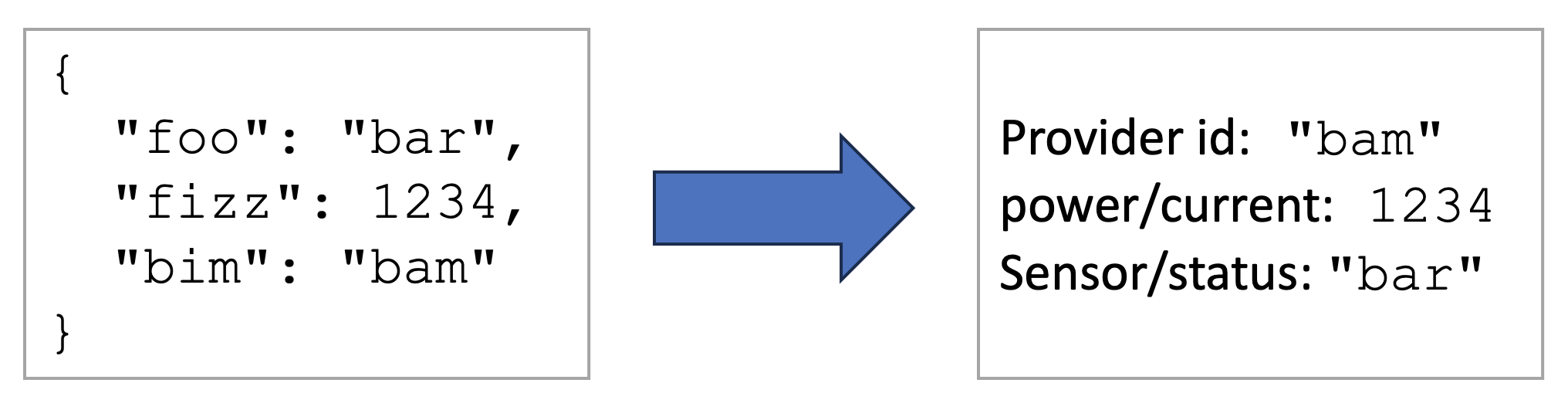
The device factory core is not intended to be used directly, but through a transport-specific device factory.
Bundles
The device factory bundle is: org.eclipse.sensinact.gateway.southbound.device-factory:device-factory-core:0.0.2.
The device factory core itself only requires the sensiNact core bundles (API and GeoJSON). However, the parsers must be provided by their own implementation bundle.
Parsers
Eclipse sensiNact includes the following parsers:
A parser can be created following the Device Factory Parser Tutorial.
Device Factory Configuration
The configuration of the device factory is split into 4 parts:
parser: the ID of the device factory parser to use to parse the payload.parser.options: parser-specific options to parse the payload. Refer to the parser documentation for more details.mapping: the resource mapping configuration, to associate a sensiNact resource to a value from the parser.mapping.options: options for the resource mapper, e.g. the date format in use, …
Here is an example of a device factory configuration:
{
  "parser": "csv",
  "parser.options": {
      "header": true
  },
  "mapping": {
      "@provider": "Name",
      "@latitude": "Latitude",
      "@longitude": "Longitude",
      "@date": "Date",
      "@time": "Time",
      "data/value": "Value"
  },
  "mapping.options": {
    "format.date": "d.M.y",
    "format.time": "H:m"
  }
}
Mapping configuration
The mapping configuration links a sensiNact resource to a parser entry, to a literal or to a variable.
Note that depending on the parser implementation, the available entries might not match exactly the payload content.
Mapping key
The key of the mapping entry can be in the following formats:
@xxx: a placeholder used by the device factory to describe the update and to find the provider to update. Here are the placeholders sensiNact defines:Provider description
@model: the name of the model of the provider to update@provider: the name of the provider to update. This placeholder is mandatory.@name: the friendly name of the provider (admin/friendlyName)
Location
@location: the location of the provider (admin/location). The content is expected to be either a GeoJSON object or a short location string (latitude:longitude[:altitude]). This placeholder overrides@latitude,@longitudeand@altitudeif they are defined.@latitude: the latitude of the provider, to construct its location. This placeholder must be combined with@longitude.@longitude: the longitude of the provider, to construct its location. This placeholder must be combined with@latitude.@altitude: the altitude of the provider, to construct its location. This placeholder must be combined with@latitudeand@longitude.
Update timestamp
@timestamp: the timestamp of the update either in second, millisecond or nanosecond precision (auto-detected). Overridesdatetime,@dateand@timeif they are defined.@datetime: the date and time of the update. Overrides@dateand@timeif they are defined. The datetime format can be defined in the mapping options.@date: the date of the update, should be used with@time. The date format can be defined in the mapping options.@time: the time of the update, should be used with@date. The time format can be defined in the mapping options.
$xxx: definition of a variable that can be reused in or as a mapping value. The variable can be used in other mapping key or in record paths using the${xxx}syntax."svc/rc": the parser value will be stored in a the resourcercof the servicesvc
Mapping value
The value of a mapping can be defined in many different formats.
In the examples of this section, we consider the input payload being a CSV file with the following content:
sensor,serial,nbVehicles,nbPersons
A1,ABC12,6,2
B1,ABC13,0,10
Record path
A mapping defined by a record path will get the value from the parser “as is”. This means the resource value will contain it in its parsed type. For example, all the values from the CSV parser are strings, whereas the JSON parser will detect strings, numbers, booleans, arrays, …
Here is an example of mapping the provider name to the record path sensor and the value of the resource serial in the service sensor from the record path serial:
{
    "@provider": "sensor",
    "sensor/serial": "serial"
}
With the example payload, the mapping above defines two providers, A1 and B1, each with a service sensor providing a resource serial with values being respectively ABC12 and ABC13.
Both mapping keys and record paths can be constructed from variables. For example, considering the following payload:
sensor,type,temperature,humidity
A,temperature,21,-1
B,humidity,-1,64
And the following mapping:
{
    "$id": "sensor",
    "$kind": "type",
    "@provider": "${id}",
    "sensor/${kind}": "value"
}
We would obtain two providers:
Provider
Awith a resourcetemperaturein servicesensor, with the value 21Provider
Bwith a resourcehumidityin servicesensor, with the value 64
Finally, note that the record path depends on the parser.
In the case of CSV payloads without headers, it is a column index number given as an integer (or the string representation of an integer). For example "sensor/serial": 2. Note that the first column index number is 0.
In the case of the JSON parser, it can be a path through objects or indices through arrays: "sensor/serial": "sensor/array/0/serial
For example, the path sensor/array/0/serial would allow to access the value ABC123 in the following JSON payload:
{
    "sensor": {
        "properties": {
            "kind": "multi-sensor"
        },
        "array": [
            {
                "serial": "ABC123",
                "type": "temperature",
                "year": 2021
            },
            {
                "serial": "ABC124",
                "type": "humidity",
                "year": 2022
            }
        ]
    }
}
Configured record path
Value type
Some parsers, like the CSV one, can’t determine the type of the value they are parsing. The mapping configuration allows to indicate the type the parsed value must be converted to.
For example, if we consider the payload:
sensor,serial,nbVehicles,nbPersons
ABC,12345,6,2
And the following mapping:
{
    "@provider": "sensor",
    "sensor/serial": "serial",
    "sensor/vehicles": {
        "path": "nbVehicles",
        "type": "int"
    },
    "sensor/pedestrians": {
        "path": "nbPersons",
        "type": "float"
    }
}
We would a provider ABC with the following mapped resources in the sensor service:
serial:"12345"as a string, as the CSV parser returns values as string by defaultvehicles:6as an integerpedestrians: 2.0 as float
The available types are:
any: use the value as it was parsed (default)string: convert the value to a stringchar: convert the value to a Java character (2 bytes unsigned integer)byte: convert the value to a Java byte (1 byte signed integer)short: convert the value to a Java short integer (2 bytes signed)int,long: convert the value to an integerfloat,double: convert the value to floating point numberboolean: convert the value to a boolean, truth being any number other than 0 or a string equal totrue(case ignored)any[]: convert the value to a list of objectsstring[]: convert the value to a list of stringschar[]: convert the value to a list of Java charactersbyte[]: convert the value to a list of bytesshort[]: convert the value to a list of short integersint[],long[]: convert to a list of integersfloat[],double[]: convert to a list of floating point numbersboolean[]: convert to a list of booleans
Note
If it is expected that the parsed field can have null value, it is recommended to explicit its type to correctly set up the right model inside Eclipse sensiNact.
For example:
{
    "sensor/pedestrians": {
        "path": "nbPersons",
        "type": "float"
    }
}
It is also possible to set a default value:
{
    "sensor/pedestrians": {
        "path": "nbPersons",
        "type": "float",
        "default": 0.0
    }
}
Note 2:
Default value
The record path configuration can define a default value. The default value will be treated as if it was read by the parser and will therefore be converted to the value type, if defined.
{
    "vehicle/count": {
        "path": "nbVehicles",
        "type": "int",
        "default": 0
    }
}
Literal value
It is also possible to construct literal values from the record paths and variables.
Here is an example to fix the city resource to Grenoble:
{
    "sensor/city": {
      "literal": "Grenoble"
    }
}
Literals also support interpolation using the ${var} format.
Here is an example of a complex use of variables, considering the following payload:
name,city
Thomas,Grenoble
And the following configuration:
{
    "$name": {
        "path": "name",
        "default": "World",
        "type": "string"
    },
    "$words": {
        "literal": "HelloBye!"
    },
    "@name": "${name}",
    "greet/hello": "${words[:5]} ${name}!",
    "greet/bye": "${words[5:-1]} ${name}!"
}
We will have the provider friendly name set to “Thomas” and the “greet” service will have two resources:
“hello”: “Hello Thomas!”
“bye”: “Bye Thomas!”
Variables
Variables are defined using the $ prefix and no brackets ({, }).
They can be given a literal value or a value from the record.
Here are some example of variable definitions:
{
    "$rc_value": "data", // ${rc_value} = <value in the "data" path>
    "$rc_value.2": {
        "path": "data"
        // ${rc_value.2} = <value in the "data" path>
    },
    "$svcName": {
        "literal": "service"
        // "${svcName}" = "service"
    },
    "$rcName": {
        "literal": "rc"
        // "${rcName}" = "rc"
    },
    "$rcValuePath": {
        "literal": "data"
        // "${rcValuePath}" = "data"
    }
    // ...
}
The variables can then be used both in the record paths or in the mapping definition. Note that unlike other mappings, which are considered as path by default, variables are considered as literals.
For example:
{
    // ...
    "${svcName}/${rcName}-txt": "${rcValuePath}", // service/rc-txt = "data"
    "${svcName}/${rcName}-value":{
        "path": "${rcValuePath}"
        // service/rc-value = <value in the "data" path>
    }
}
Mapping options
The device factory mapper itself can be fine-tuned with the mapping.options entry.
Most of the options are relating to parsing patterns and input locales.
Date time parsing options
Date inputs are given to a Java java.time.format.DateTimeFormatter constructed based on the following configuration options.
If not configuration is provided, the default parsing format is ISO-8601 (for example: 2024-02-08T10:22:09.6012629+01:00).
The Device Factory mapper first looks at explicit patterns.
See the DateTimeFormatter patterns for more information:
format.datetime: the format of the value read by@datetime, for exampleyyyy-MM-dd'T'HH:mm:ss.nzfor ISO dates.format.date: the format of the value read by@date, for exampleyyyy/MM/ddformat.time: the format of the value read by@time, for examplehhmm a
If no explicit pattern has been configured, the Device Factory mapper will then use the locale-based configuration, if it exists.
format.datetime.locale: the locale to use to parse date inputs, e.g.fr,en_us,zh_Hand_TW.format.date.style: the locale date format style, eithershort,medium,longorfull.format.time.style: the locale time format style, eithershort,medium,longorfull.
The following array shows the difference between styles:
Format style |
US Locale |
FR locale |
|---|---|---|
short |
2/8/24, 11:03 AM |
08/02/2024 11:03 |
medium |
Feb 8, 2024, 11:03:17 AM |
8 févr. 2024, 11:03:17 |
long |
February 8, 2024, 11:03:17 AM CET |
8 février 2024, 11:03:17 CET |
full |
Thursday, February 8, 2024, 11:03:17 AM Central European Standard Time |
jeudi 8 février 2024, 11:03:17 heure normale d’Europe centrale |
Finally, it is possible to give an expected time zone. Dates without timezone are considered to be in UTC.
datetime.timezone: Name of the timezone of the date and time inputs. It must be valid for thejava.time.ZoneId.of(), for example:Europe/Paris,+02or+0200.
Number parsing options
Some locale use specific characters for decimal separator or negative sign. It is possible to set the locale for all numbers parsed in a record using:
numbers.locale: the name of the locale to use to parse numbers, e.g.fr,en_us,zh_Hand_TW.